Whether you’re a fresh JavaScript developer or a seasoned engineer, you’ve probably typed npm install hundreds—if not thousands—of times. It’s such a common command that we rarely stop to think about what’s really happening behind the scenes.
But here’s the kicker:
npm installis not just a command. It’s a deep rabbit hole involving semver logic, dependency resolution, postinstall scripts, lockfile behavior, and even security vulnerabilities.
In this blog, we’ll break down what really happens when you run npm install, layer by layer—from basics to internals. By the end, you’ll understand how much is actually happening under the hood and why it matters, especially as you grow from junior to senior.
🧱 1. The Basics: What npm install Seems to Do
When you run:
npm install
Here’s what most developers think happens:
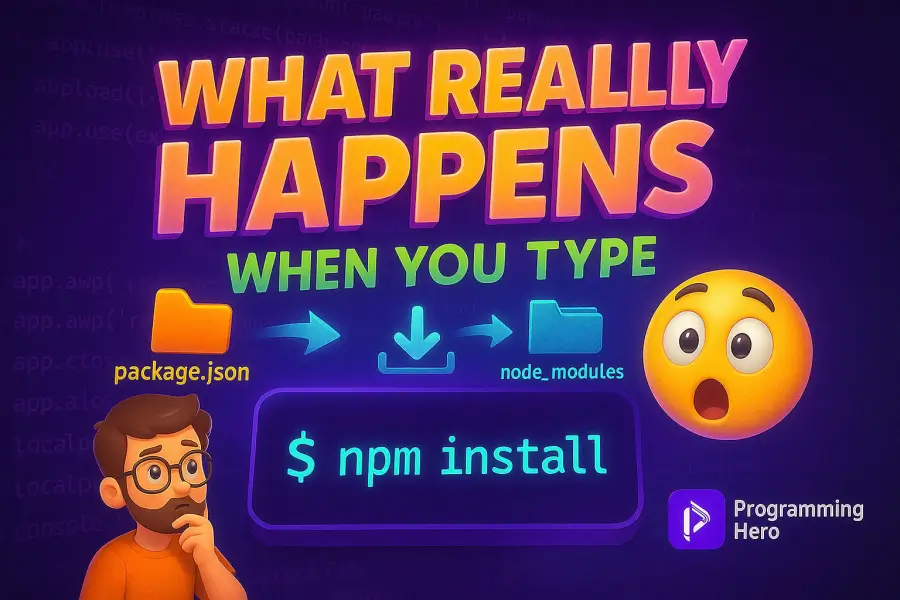
- npm reads your
package.json - It installs dependencies listed under
"dependencies"and"devDependencies" - It generates or updates your
node_modulesfolder - A
package-lock.jsonfile is updated
✅ Yes, that’s correct… but it’s only the surface.
📦 2. Semantic Versioning (Semver) and Its Traps
If your package.json has:
"axios": "^1.2.0"
That little ^ means “install the latest compatible minor version,” so:
^1.2.0could install1.2.3,1.3.0, etc., but not2.0.0~1.2.0is even more limited—it allows1.2.1,1.2.2, etc., but not1.3.0
This leads to non-deterministic builds unless you have a lockfile. And even with a lockfile, collaborating teams can still face dependency hell if lockfiles get out of sync.
🔐 3. The Role of package-lock.json
This file:
- Pins the exact version of every package and subpackage
- Ensures your app installs the same on every machine (if committed)
- Greatly affects CI/CD builds, Docker images, and caching
👉 Pro Tip: Never delete package-lock.json unless you know exactly what you’re doing.
🔄 4. Dependency Resolution & Hoisting
npm walks through your dependency tree:
- Resolves each package and sub-dependency
- Avoids installing duplicates when possible
- Hoists packages to the top-level
node_modulesif no version conflict
But… this causes issues like:
- Hard-to-debug mismatches
- Shadowed versions
npm lswarnings
This is why tools like pnpm avoid hoisting by default using symlinks.
🧨 5. Post-Install Scripts: Convenience vs. Danger
Some packages include scripts that run after installation, such as:
"scripts": {
  "postinstall": "node setup.js"
}
While useful, this creates:
- A potential attack vector if malicious code is injected
- Unexpected behavior in production environments
- Surprises in CI/CD pipelines
👉 Always audit packages before installing. Use npm audit and npm install --ignore-scripts when needed.
🚀 6. Global vs Local Installs
| Type | Command | Use Case |
|---|---|---|
| Local | npm install <package> | Used only in the current project |
| Global | npm install -g <package> | Used in your CLI anywhere |
Global packages aren’t added to your package.json, and version mismatches between local/global installs can cause weird behavior—especially in build tools.
🏎️ 7. Performance: Why pnpm and bun Are Game-Changers
Modern alternatives optimize installation:
- pnpm: Uses a content-addressable store & symlinks — saves space and time
- bun: Written in Zig — crazy fast, with built-in JS runtime
Benchmark:
| Tool | Speed | Disk Usage |
|---|---|---|
| npm | Medium | High |
| yarn | Medium+ | Medium |
| pnpm | Fast | Low |
| bun | Very Fast | Very Low |
So depending on your needs, consider switching to a faster package manager.
⚙️ 8. What Happens in Docker & CI/CD Pipelines
In these environments:
npm ciis preferred overnpm install- It uses
package-lock.jsononly, and skipspackage.json - Much faster, reliable, and deterministic for production
If you’re shipping apps in Docker, always use:
RUN npm ci --omit=dev
🤯 TL;DR: What Actually Happens When You Run npm install
- Reads
package.json - Resolves semantic versions (
^,~) - Checks for
package-lock.json - Downloads packages (from cache or registry)
- Resolves nested dependencies
- Hoists modules into
node_modules - Runs
postinstallor lifecycle scripts - Updates lockfile if necessary
It’s a whole orchestra behind one simple command.
🧠 Final Thoughts: Why This Matters
Understanding the depths of npm install helps you:
- Avoid version conflicts
- Secure your builds
- Improve CI/CD performance
- Choose better tools
- Think like a senior engineer
Next time you type
npm install, know that you’re not just installing packages—you’re orchestrating a complex process that powers your entire application.
📝 Bonus: Tools You Should Know
npm ls– View your dependency treenpm audit– Scan for vulnerabilitiesnpm dedupe– Reduce duplicate packagesnpm ci– Clean & deterministic installs